Bedrock Vector Store Selection: How to Choose OpenSearch, Aurora pgvector, or S3 Vectors
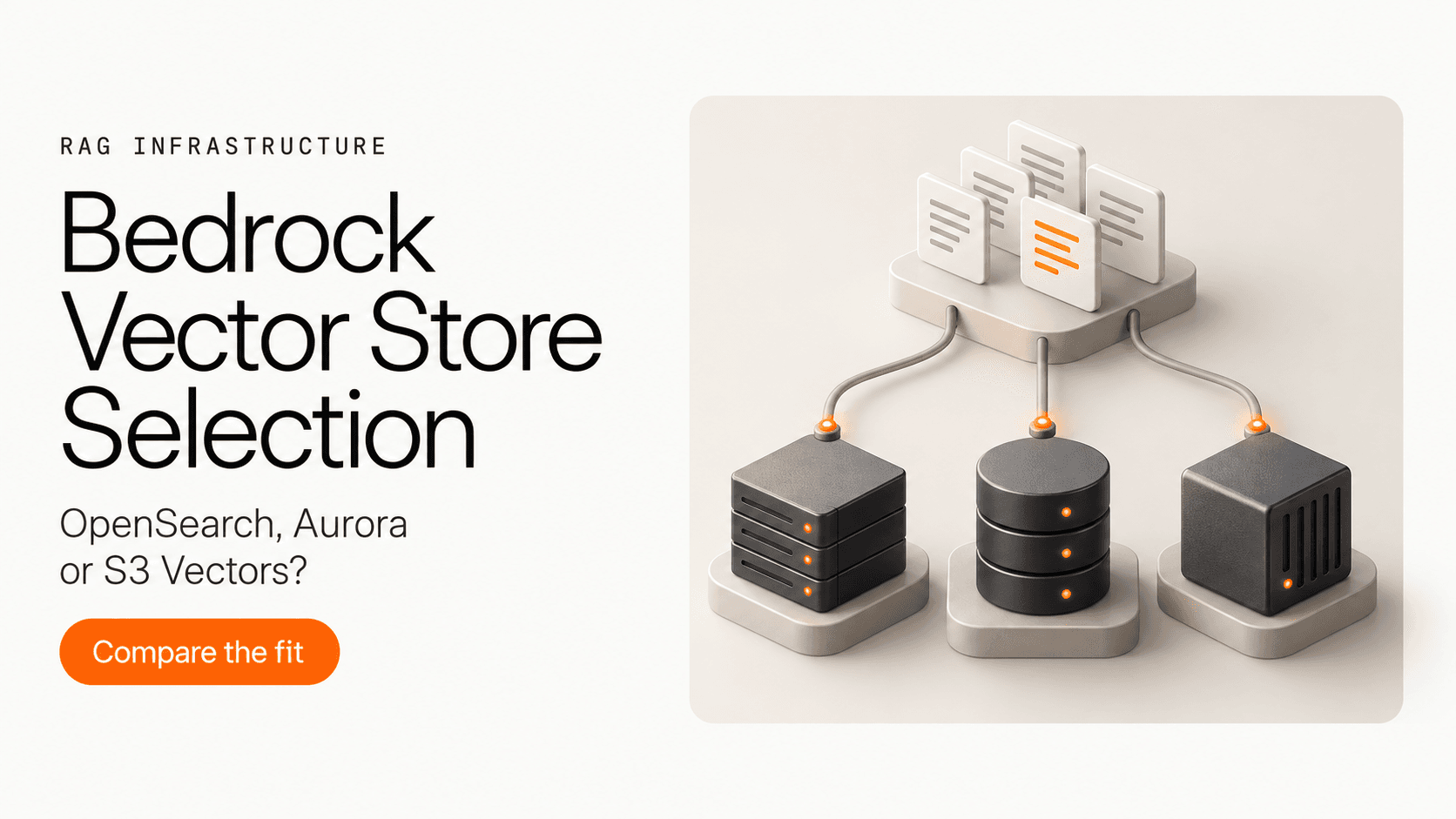
For an Amazon Bedrock Knowledge Base, choose candidates by retrieval requirements first. OpenSearch Serverless and a qualifying Aurora PostgreSQL setup both belong on a hybrid-search short list. S3 Vectors is a useful starting point for infrequent, semantic-only retrieval. Cost then depends on how much you store, how often you query and update it, and which capacity and operating responsibilities you accept.
This guide covers the customer-managed Knowledge Base path where you choose the backing vector store. It gives you configuration gates, cost components, three hypothetical scenarios, and a record you can fill in to make a decision. It contains no live database measurements.
Narrow the list by retrieval behavior
Hybrid search combines vector similarity with raw-text search. AWS's current query configuration guide includes Amazon RDS, OpenSearch Serverless, and MongoDB stores with a filterable text field. For the three options considered here, that leaves Serverless and a correctly configured Aurora PostgreSQL Knowledge Base when hybrid is mandatory.
| Requirement | First candidates | Decision condition |
|---|---|---|
| Hybrid retrieval for questions containing exact identifiers or important keywords | OpenSearch Serverless; qualifying Aurora PostgreSQL with pgvector | Validate the text field/index, selected region, and KB search configuration. Hybrid support alone does not guarantee that the correct identifier ranks first. |
| Infrequent semantic retrieval across a growing document collection | S3 Vectors | Keep it if its filters, metadata limits, and measured retrieval behavior meet your requirements. |
| A PostgreSQL team wants to own the retrieval store | Aurora PostgreSQL with pgvector | Keep it if the supported Aurora setup and added database workload fit that team's operating model. Generic PostgreSQL experience is not sufficient eligibility. |
| A strict latency or quality target | Whichever candidates survive the capability checks | Use the same evaluation conditions and reject candidates that miss the agreed threshold. |
The Bedrock prerequisites explicitly describe S3 Vectors as best suited to infrequent query workloads. This is useful selection guidance; it supplies neither a numeric query-frequency cutoff nor a latency guarantee for your application.
Apply the configuration gates before estimating a bill
OpenSearch Serverless. The KB setup calls for a vector-search collection, a Faiss vector index, and a filterable field for raw text. Record the exact collection configuration you plan to deploy. This guide does not establish NextGen collection compatibility with Bedrock KB, so confirm that combination before using its pricing assumptions. The store setup instructions are the starting point.
Aurora PostgreSQL with pgvector. The cluster must be in the KB's AWS account. The Aurora integration guide requires a supported engine version, pgvector 0.5.0 or later, the RDS Data API, a Secrets Manager secret, and a schema/table with the required fields. Plan for the vector and GIN text indexes as well as a GIN index if you use a custom-metadata column. For selective metadata filters, AWS recommends HNSW iterative scans with pgvector 0.8.0 or later to avoid returning too few matches after filtering. Agree on these choices with the database owner.
S3 Vectors. Its Bedrock integration is semantic-only and accepts floating-point embeddings. The integration permits up to 1 KB of custom metadata and 35 metadata keys per vector; large hierarchical chunks can also exceed metadata limits. S3 vector indexes cannot use the KB startsWith and stringContains filters. Check your actual filter operators and a representative metadata record before committing.
For every candidate, record the embedding model, output type, dimensions, and target region. For example, the supported-model table lists 256, 512, and 1,024 dimensions for Titan Text Embeddings V2. Match the index to the chosen output; model support for binary output does not make S3 Vectors binary-compatible. Confirm the relevant model and KB feature in your region, plus the backing service there. S3 Vectors requires a region where both services are available.
Compare cost components on the same basis
Build an estimate for the same corpus, monthly request pattern, update volume, region, and availability requirements. Include initial ingestion and a normal operating month separately. A storage quote alone cannot answer what the retrieval layer will cost.
| Store and pricing entry | Storage | Queries and capacity | Writes and updates |
|---|---|---|---|
| S3 Vectors pricing — Vectors section | Logical vector data, metadata, and keys | Query request fees, data processed, and data returned | Logical data uploaded through PUT; include applicable minimum billable request sizes |
| OpenSearch Serverless pricing — correct collection type | Managed storage in GB-months | Search and indexing OCU-hours; apply the deployment's capacity and redundancy conditions | Indexing demand contributes to compute usage; include initial loads and recurring changes |
| Aurora PostgreSQL pricing — selected compute/storage configuration | Database storage in GB-months | Provisioned instance-hours or serverless ACU usage; Standard meters I/O, while I/O-Optimized has no separate in-region read/write I/O charge | Inserts and index maintenance use compute and, under Standard, metered I/O |
For Serverless and Aurora, query and write activity drive compute demand; count that compute meter once. OCU-hours and ACUs describe different services and are not interchangeable measures of throughput.
S3 Vectors needs more than a monthly query count: its processed-data calculation depends on the queried index's population and vector size, including keys and filterable metadata. Non-filterable metadata is excluded from that processed-data component, but can contribute to returned-data charges. Record expected index size and response size alongside traffic. Apply the current tiers, minimums, and allowances from the pricing page.
For OpenSearch, use the pricing section for the collection you have confirmed is eligible for the KB. Classic and NextGen terms differ; do not carry a scale-to-zero assumption from one into an estimate for the other.
For Aurora, add Data API and Secrets Manager usage, plus applicable backup and transfer charges. An existing cluster still needs an estimate of the incremental compute, storage, and I/O attributable to the KB.
Keep two further lines in your budget: the rest of the RAG pipeline, such as embedding and any parsing, reranking or generation you use; and engineering time for setup, access policies, index changes, monitoring, and recovery. Engineering time is an internal estimate, not an AWS price. Separate these items so a low vector-store bill does not hide work charged elsewhere.
Three hypothetical workloads: start, exclude, reconsider
These scenarios are planning examples, not customer cases or measured results.
An archive with occasional semantic questions
Suppose an internal team searches a growing archive of manuals a few times during a workday. Questions describe concepts, metadata fits the documented limits, and the application can allocate a sub-second retrieval budget.
Start with S3 Vectors. Its documented infrequent-query positioning matches the assumption. Fill in stored volume, query frequency, response size, and update volume before estimating cost.
Exclude it if hybrid retrieval, binary embeddings, or unsupported filter operators are requirements you cannot change. If the proposed schema exceeds its metadata limits, redesign that schema or remove this candidate before ingestion.
Reconsider when traffic becomes sustained, cold retrieval misses the chosen latency threshold, or the calculated query component exceeds the budget. Growing traffic triggers a new comparison with Serverless or eligible Aurora; it is not proof that S3 has become unsuitable at a universal cutoff.
Support questions depend on exact identifiers
Suppose a support system must distinguish error codes, hyphenated part numbers, and document revisions, while also answering paraphrased questions.
Start with a hybrid configuration on Serverless or eligible Aurora. If there is no Aurora team to own the required database work, evaluate Serverless first. If a qualifying Aurora environment and owner already exist, evaluate Aurora first. Add the second candidate if the first misses a requirement or the cost trade-off remains material.
Exclude S3 Vectors if hybrid itself is mandatory. If the requirement is instead “find the right document,” semantic retrieval can remain eligible only if it passes the identifier-specific acceptance tests; the word “hybrid” is not a substitute for those tests.
Reconsider the configuration if tokenization loses parts of identifiers or the wrong revision outranks the expected one. Use those failed queries to inspect text indexing, metadata filters, and chunking before attributing the failure to the store alone.
An Aurora team already runs the application database
Suppose the team has a supported Aurora PostgreSQL cluster, a database owner, and established monitoring and recovery procedures.
Start by assessing Aurora eligibility and added load. Confirm the account, engine, Data API, secret, vector/text indexes, and any metadata indexes. Decide whether the KB can share resources or needs a separately budgeted cluster.
Exclude the proposed shared-cluster plan if it cannot meet the setup requirements or the owner cannot accept retrieval and ingestion work alongside existing traffic. That rules out this deployment plan, not every Aurora deployment.
Reconsider Serverless if hybrid remains necessary but database contention or ownership is unacceptable. Reconsider S3 Vectors if semantic-only, infrequent retrieval meets the task. Include the cost of a separate Aurora cluster in the comparison if isolation is the only unresolved issue.
Run a proof-of-fit that ends in a decision
Choose the thresholds before looking at results. Start with the first eligible candidate from your scenario; add another when the first fails or there is a meaningful unresolved trade-off.
1. Fix the inputs and define success
Use the same source-document version, parser, chunking, embedding model/output, metadata, and query set across comparable runs. Record the retrieval result limit, filters, search mode, and reranker setting. Evaluate vector-store choices with a common supported embedding configuration first; treat later dimension or quantization changes as separate experiments.
Build a judged query set with ordinary semantic questions, exact identifiers where relevant, selective filters, and questions for which the corpus has no answer. For answerable queries, list the expected source and answer-bearing passage. For negative queries, mark that none is expected.
Define an answer-bearing hit rate: the fraction of answerable queries whose first k returned chunks include a passage that supports the expected answer. Report it by query group as well as overall. Separately record wrong-version results and filter violations. This avoids calling a plausible-sounding generated answer a retrieval success.
2. Inspect retrieval before adding generation
For an existing, authorized test KB, open Knowledge bases → select the KB → Test knowledge base, clear Generate responses, and inspect Show source details. The retrieval guide also documents the Retrieve API for returning chunks. Use Search type → Override default search to set hybrid or semantic retrieval where supported, and record the setting.
Keep reranking fixed while comparing stores. Inspect failures against the expected passage, metadata, and returned order. A response with fewer than k chunks is not automatically a failure: for example, Bedrock can merge related child chunks into a parent with hierarchical chunking. Judge whether the required evidence was retrieved.
Only after this passes should you evaluate generated answers separately. That preserves the distinction between a retrieval miss and a generation problem.
3. Measure traffic, updates, and cost under recorded conditions
Measure client-observed Retrieve latency separately from end-to-end answer latency. Use a declared request count, concurrency, query mix, and idle interval; report warm and post-idle runs separately. Record p50 and a chosen tail percentile, timeouts, throttling, and failures. If the sample is too small to judge the tail, mark the result inconclusive.
Include an update exercise: add, modify, and remove representative source material, run the intended sync process, and record when retrieval reflects the intended changes. With an existing Aurora cluster, also observe the application workload during ingestion and retrieval.
Feed the observed usage into the cost components above for an explicitly stated monthly workload. Label the result as an estimate until billing confirms it. Do not combine one store's p50 with another's p99 or treat a single corpus as proof of the best embedding dimension.
4. Fill in this record for each candidate
Copy this into the decision document. Blank fields are work to do, not successful checks.
| Record field | Your entry |
|---|---|
| Candidate / exact configuration / region / owner / run date | ___ |
| Corpus version / vector count / stored size / update volume | ___ |
| Model / dimensions / output type / chunking / metadata schema | ___ |
Search mode / filters / k / reranker setting |
___ |
| Hard requirements and evidence of eligibility | ___ |
| Minimum hit rate for each query group, agreed before testing | ___ |
| Observed hits / answerable queries per group; failure examples | ___ |
| Wrong-version or filter violations; negative-query observations | ___ |
| Latency threshold and percentile; request count / concurrency / idle interval | ___ |
| Observed warm and post-idle p50 / tail; errors and timeouts | ___ |
| Update visibility target / observed result / impact on existing traffic | ___ |
| Monthly workload assumptions; storage / queries or compute / writes / extras | ___ |
| Pricing URL, region, configuration and date; estimated total / budget limit | ___ |
| Setup and recurring engineering effort; responsible owner | ___ |
| Decision: retain / reject / pending; reason and evidence location | ___ |
| Change in traffic, corpus or requirements that will reopen this decision | ___ |
Keep a per-query record as well: query ID | group | expected source/passage | filter | returned source IDs/ranks | hit/miss | elapsed time | error. That makes a disappointing aggregate result diagnosable.
Retain a candidate when eligibility, required query groups, latency, freshness, cost, and ownership all meet the agreed conditions. Reject it when a non-negotiable requirement fails and the proposed configuration cannot resolve it. Use pending when evidence is missing; an untested tail or unknown cost is not a pass.
If two candidates pass, choose the one with the acceptable total cost and operating burden for this workload, and keep the recorded trigger for revisiting it. You now have a reasoned selection and a reproducible evaluation record, rather than a recommendation that depends on someone else's benchmark.
Shortlist OpenSearch Serverless, eligible Aurora PostgreSQL, or S3 Vectors by retrieval requirements and workload. Compare complete cost components, then record quality, latency, freshness, and ownership under consistent test conditions. The scenarios are hypothetical and contain no live database benchmarks.