Seedream 5.0 Pro API: Generate and Edit Images
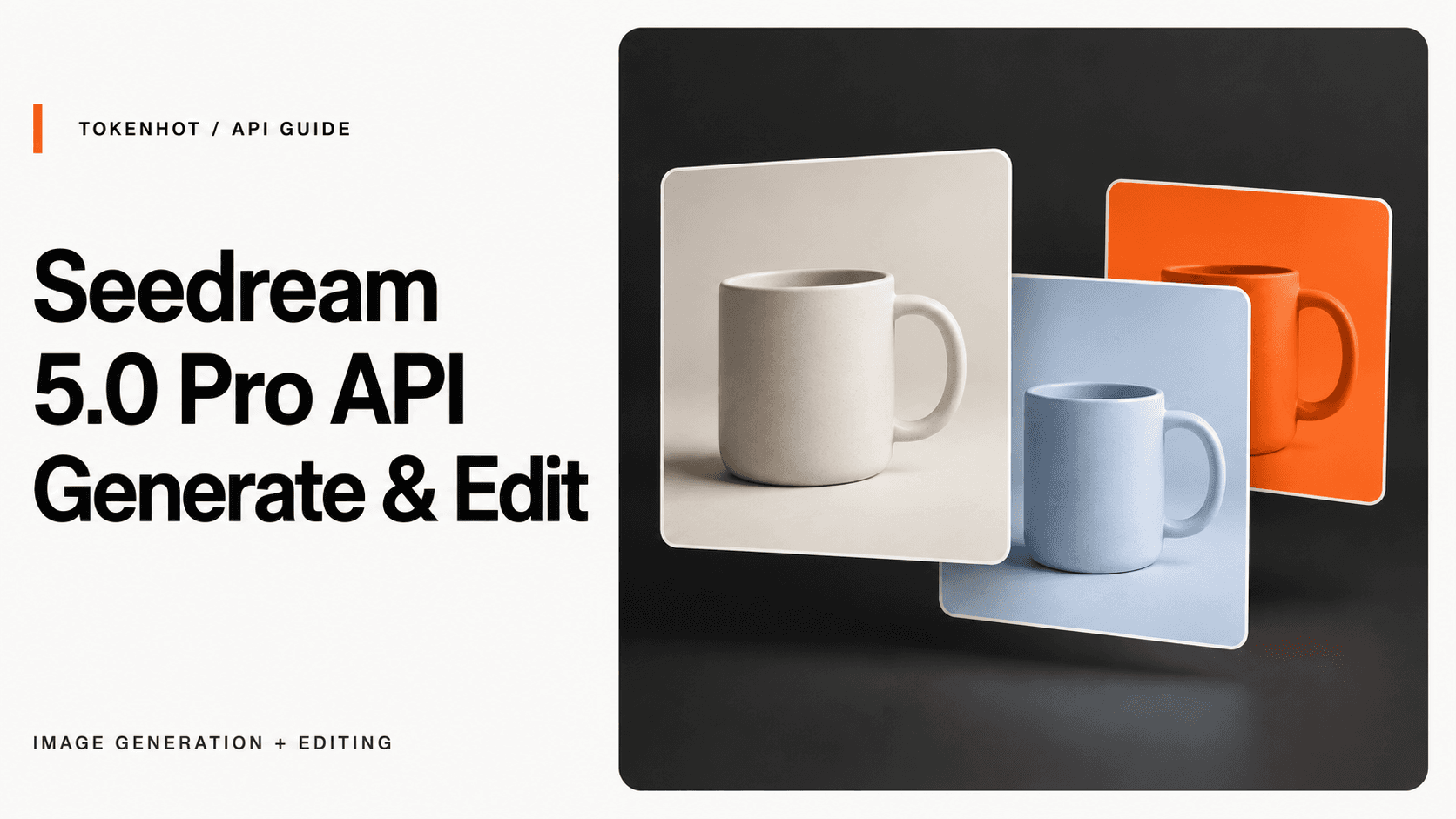
To use Seedream 5.0 Pro through Tokenhot, send a JSON request to POST https://api.tokenhot.ai/v1/images/generations with model: "doubao-seedream-5-0-pro" and a prompt. Leave out image to generate from text; add a reference image to edit an existing image.
That distinction matters more than the endpoint name: this route handles both tasks. The other decisions are the output dimensions, the image file format, and how your application receives the result.
This guide follows Tokenhot's Seedream 5.0 Pro API documentation, checked on September 23, 2026. The examples are documentation-based, not results from a live generation test. They apply to this Tokenhot route, not every service that offers Seedream.
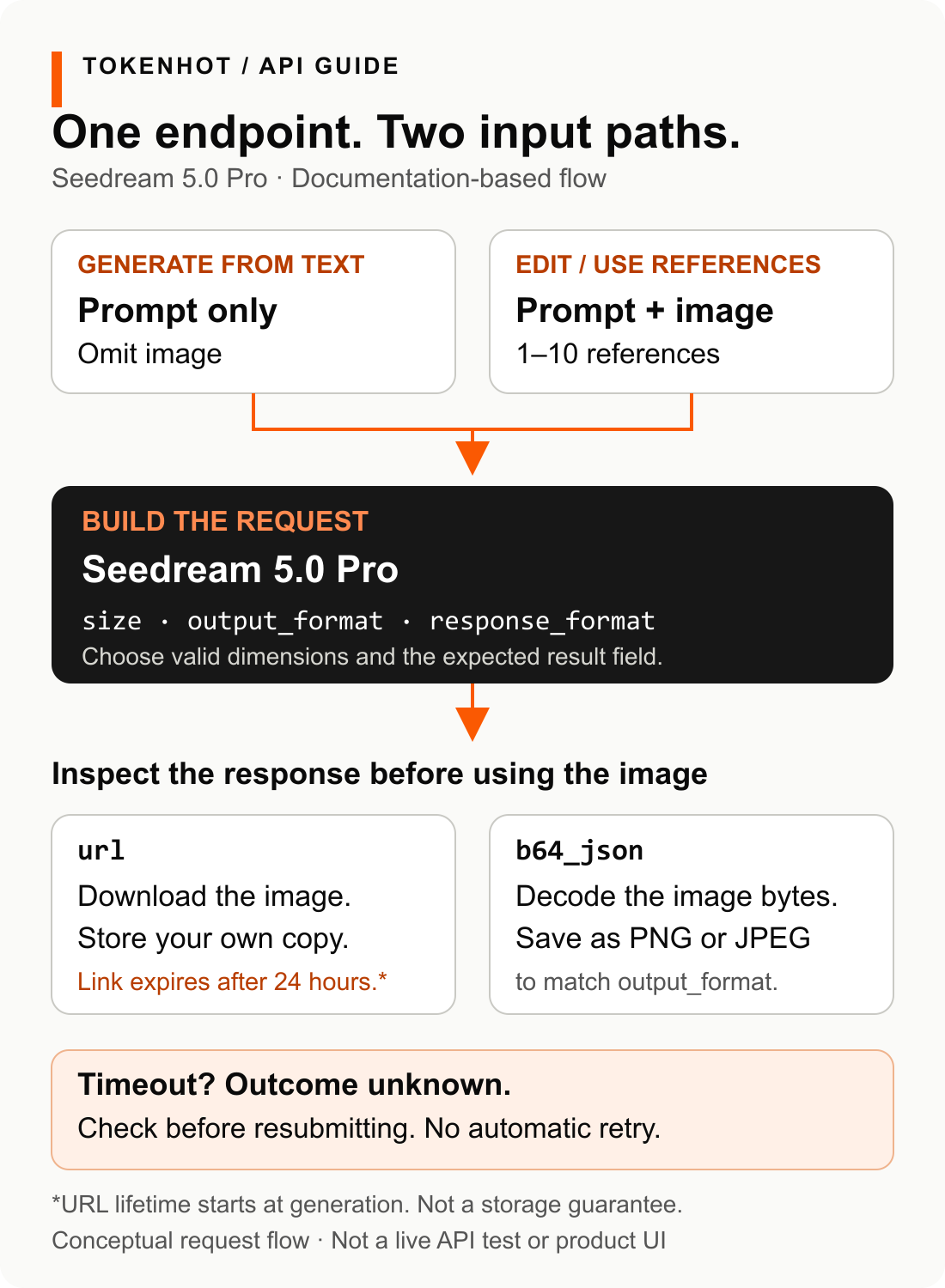
Open the full-size workflow diagram to read the smaller labels.
Documentation-based request flow, not a live API test. The cover is an editorial illustration, not output from a Seedream test.
Make the first text-to-image request
You need a Tokenhot API key, access to the model in your account, and Python with the requests package. Obtain your key from the Tokenhot token console, keep it on your backend, and never embed it in browser code.
Install the dependency:
python -m pip install requests
Save the following as seedream_example.py, then run python seedream_example.py. It uses TOKENHOT_API_KEY if that environment variable is set; otherwise, it asks for the key without displaying it. Running it sends a real generation request, so confirm your account's current access and billing terms first.
import getpass
import os

import requests

api_key = os.environ.get("TOKENHOT_API_KEY") or getpass.getpass(
    "Tokenhot API key: "
)
if not api_key.strip():
    raise SystemExit("An API key is required.")

payload = {
    "model": "doubao-seedream-5-0-pro",
    "prompt": (
        "A studio product photograph of a plain ceramic mug on a warm "
        "gray background, soft side lighting, square composition."
    ),
    "size": "1024x1024",
    "output_format": "png",
    "response_format": "url",
    "watermark": True,
}

try:
    response = requests.post(
        "https://api.tokenhot.ai/v1/images/generations",
        headers={"Authorization": f"Bearer {api_key.strip()}"},
        json=payload,
        timeout=(10, 120),
    )
except requests.RequestException:
    raise SystemExit(
        "No usable response received. The generation outcome may be "
        "unknown; check before submitting again."
    )

try:
    result = response.json()
except ValueError:
    raise SystemExit(
        f"HTTP {response.status_code}: no JSON response. "
        "Do not treat this as a completed generation."
    )

if not isinstance(result, dict):
    raise SystemExit("Unexpected response shape; inspect it privately.")
if not response.ok or result.get("error") or result.get("code"):
    raise SystemExit(
        f"HTTP {response.status_code}: request reported an error. "
        "Inspect its error/code/message fields privately; no retry was sent."
    )

images = result.get("data")
if not isinstance(images, list) or not images:
    raise SystemExit("No image entries returned; do not assume success.")

for item in images:
    if not isinstance(item, dict) or not item.get("url"):
        raise SystemExit("An image entry has no URL; inspect the response.")
    print("Image URL:", item["url"])
    print("Returned size:", item.get("size", "not supplied"))
The 120-second read timeout is a client choice, not a promise about generation time. The example makes one request and does not automatically retry. It reports returned URLs and sizes; it does not invent a sample response or save the images for you.
Keep returned URLs out of public logs if the images are private. Once you have a valid result, download and store the image as described below.
Turn the same request into an image edit
For a single reference image, add image and replace the prompt in the payload before the requests.post call:
# Replace this placeholder with a reference image you control.
payload["image"] = "https://your-image-host.example/mug.png"
payload["prompt"] = (
    "Change the background to pale blue. Keep the mug's shape, "
    "position, and handle unchanged."
)
The URL must be fetchable by the service; a local file path or a browser-only login URL will not supply the image. Use an image you are authorized to process. The prompt expresses the desired edit—it does not guarantee that every detail will be preserved.
For multiple references, the same field accepts an array:
payload["image"] = [
    "https://your-image-host.example/product.png",
    "https://your-image-host.example/background.png",
]
payload["prompt"] = (
    "Place the product from image 1 in the setting from image 2. "
    "Keep the product centered and use a square composition."
)
These are alternative payload changes, not instructions to submit both jobs. Replace every placeholder URL. The documented Pro input supports one reference or 2–10 references; this is an input limit, not a requested output-image count.
The reference-image requirements specify:
- Supported formats: JPEG, PNG, WebP, BMP, TIFF, GIF, HEIC, and HEIF.
- At most 30 MB per reference image.
- Each side must exceed 14 pixels.
- Aspect ratio must be between 1:16 and 16:1.
- Total pixel count must not exceed 36 million pixels.
The pixel limit is an area limit, not a statement that each side can be no more than 6,000 pixels. Validate references before submitting them.
If you need to send a local image without hosting it, image also accepts a data URI in the documented form data:image/png;base64,<encoded-image-data>. Supply the actual Base64-encoded file bytes, not that placeholder. This input data URI is different from the raw Base64 string returned by b64_json.
Choose pixels or a resolution tier—not an aspect ratio alone
For Pro, size has two documented forms:
| What you need | What to send | What to check |
|---|---|---|
| Explicit square dimensions | "size": "1024x1024" |
Returned size and the downloaded file |
| Explicit wide dimensions | "size": "2048x1024" |
Pixel-count and aspect-ratio limits |
| A resolution tier with a composition ratio | "size": "2K", with “16:9 composition” in the prompt |
Actual dimensions in the result |
For explicit dimensions, the documented output area runs from 921,600 pixels to approximately 4,624,220 pixels, with an aspect ratio between 1:16 and 16:1. A familiar image size is not automatically valid: 512x512, for example, contains only 262,144 pixels and falls below that documented range.
The tier form supports 1K and 2K; it does not mean “set either side to exactly 1,000 or 2,000 pixels.” Tokenhot's mapping table lists 2048x2048 for 2K square and 2816x1584 for 2K 16:9. Check the returned size and image file rather than treating the tier label as an exact dimension.
Use the API documentation's uppercase 1K/2K spelling. Do not assume a playground's lowercase label establishes an accepted API alias. Likewise, do not send "size": "16:9" just because another Seedream version lists it; the Pro schema documents pixels or a tier with the ratio in the prompt.
Separate the file format from the delivery format
These two parameters answer different questions:
| Parameter | Documented choices | Purpose |
|---|---|---|
output_format |
png, jpeg |
The generated image's file encoding; default is JPEG |
response_format |
url, b64_json |
How the image reaches your application; default is a URL |
With response_format: "url", read each image's url from the data array. Tokenhot documents a 24-hour lifetime after generation for those links. Download the image promptly and store it in your own storage if it must remain available. A temporary result URL is not a durable blog image URL or product-asset record.
The Python example uses URL mode. To request inline image bytes, set response_format to "b64_json" and replace its URL-reading loop with Base64 decoding of each entry's b64_json. Match the saved file extension to output_format; changing only the response parameter would make the example's URL check fail.
The request also explicitly enables watermark, matching the Pro documentation's default. Set it intentionally rather than carrying a default from a different version.
Do not migrate a Seedream 4.5 payload by changing only the model
Tokenhot documents separate request schemas for Seedream 4.5 generation and 4.5 editing. They share the images-generation endpoint with Pro, but some parameters differ:
| Setting | Tokenhot 4.5 documentation | Tokenhot 5.0 Pro documentation |
|---|---|---|
| Request model ID | doubao-seedream-4-5-251128 |
doubao-seedream-5-0-pro |
| Size forms | Aspect-ratio strings and lowercase 2k/4k |
Pixel dimensions or uppercase 1K/2K with ratio in the prompt |
| Watermark default | false |
true |
| Sequential-generation options | Listed | Not listed in the Pro request schema checked for this guide |
“Not listed” is not proof that a feature can never be available. It means this guide has no basis for adding that field to a Pro request. The same caution applies to generic image-API parameters such as quality or n: do not assume that familiar field names are supported here.
There is another naming trap within the Pro documentation itself. The request uses doubao-seedream-5-0-pro, while its sample response contains doubao-seedream-5-0-pro-260628. Use the documented request identifier. A versioned string in an example response does not establish an interchangeable request alias.
This is a request-migration check, not a comparison of model quality or a claim that all Seedream versions share capabilities.
Handle a failed response before sending another request
A successful HTTP status alone is not enough: inspect the result for an error and confirm that data contains the expected image field. The first example performs those checks.
| What you observe | What to do next |
|---|---|
| HTTP 400 or a parameter error | Inspect the returned message. Check the required model and prompt, then validate the size and reference inputs. Fix the specific issue before resubmitting. |
| HTTP 401 | Check the key and Bearer authorization header. Do not paste the key into a support ticket or public log. |
| HTTP 503 | Treat the upstream route as unavailable at that moment. Inspect the response before deciding whether another request is appropriate. |
| Timeout or dropped connection | Treat the outcome as unknown. Check available account records or ask support before resubmitting; a client timeout does not prove the server did no work. |
Empty data or a missing expected image field |
Keep the response for private diagnosis. Confirm whether you requested URL or Base64 mode; do not pass an empty result downstream. |
The documentation uses more than one error shape: some examples put code and message at the top level, while others nest details under error. Preserve the HTTP status and available error fields when diagnosing a failure, while redacting credentials and private inputs.
Once a minimal text-only request produces a usable result, add one reference image and validate that path before building a multi-reference workflow. Keep the model ID, payload, returned dimensions, and saved asset together in your own job record. For the current model entry and endpoint details, use the Seedream 5.0 Pro model page and API reference.
Generate or edit images with Tokenhot's Seedream 5.0 Pro route. Start with a documented Python request, add references, choose image sizes and output formats, and handle errors without assuming a failed client request means nothing happened. Documentation-based guide, not a live model test.